Start free

Solutions

Track software for throws, jumps, and sprint groups

Technical-event coaches need more than an endurance calendar. They need one place to plan sessions, log reps quickly, review readiness, and attach technique feedback to the same athlete workflow.

Sprint, hurdle, jump, and throw coaches who need technique review inside the same workflowHead coaches trying to keep technical groups inside the larger team systemPrograms that want to stop separating technical coaching from daily training data

Best for

  • Sprint, hurdle, jump, and throw coaches who need technique review inside the same workflow
  • Head coaches trying to keep technical groups inside the larger team system
  • Programs that want to stop separating technical coaching from daily training data

Pain points

What slows this team down

These are the day-to-day workflow issues that usually push staffs to replace spreadsheets, text threads, and disconnected tools.

  • Technical event work disappearing into coach notebooks or camera rolls
  • Large sprint groups being too time-consuming to log after practice
  • No shared staff view of readiness and load before explosive sessions
  • Video review and daily programming living in different tools
Why it fits

Why Track Tools Pro fits this workflow

Track Tools Pro brings planning, logging, communication, and review into one workflow.

  • Grid Logger matches the speed of sprint and technical-group practice.
  • Motion Lens gives coaches a reason to keep technique review inside the same athlete record.
  • Pulse helps the staff review risk before high-intensity days.
  • Groups stay connected to the full team plan without losing their specificity.

Feature grouping

Capabilities this team will use most

Each group highlights the tools that matter most for this setup.

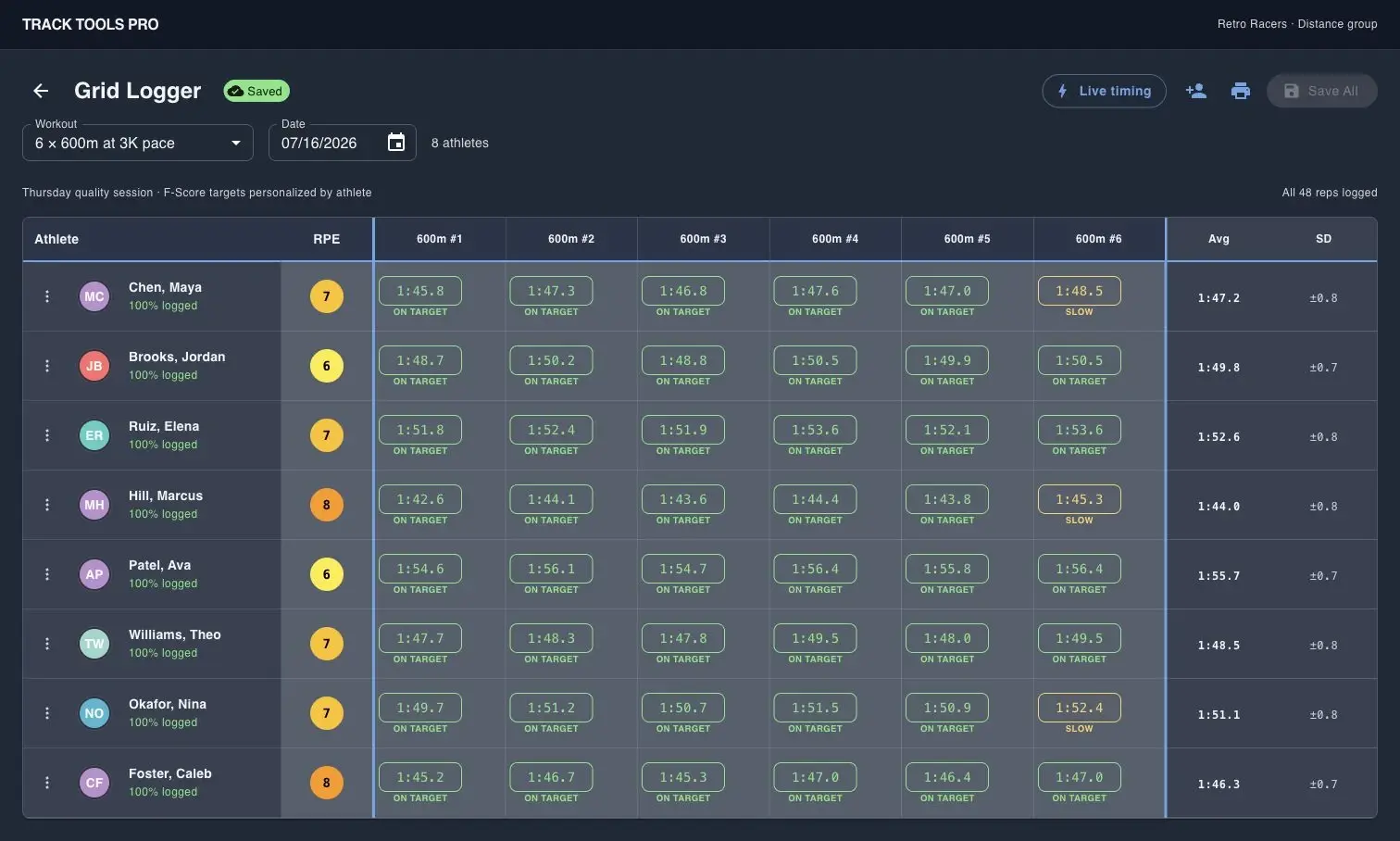
Track Tools Pro Grid Logger screen for logging multiple athletes at once

Coach-entered logging

Grid Logger is built for event coaches who want to capture a full group quickly after fast or technical work.

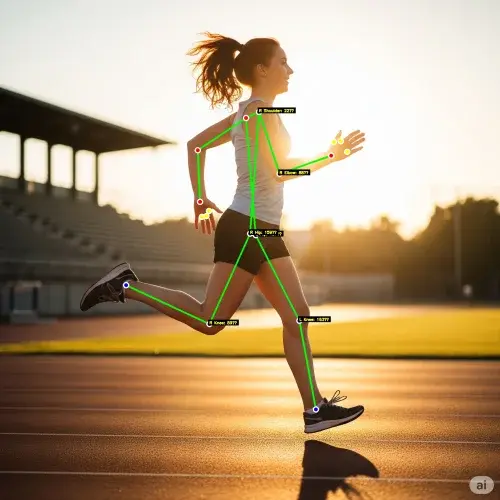
Track Tools Pro Motion Lens screenshot with biomechanical overlay on a runner

Technique review that stays attached

Motion Lens keeps video feedback closer to the athlete's training record instead of sending staff to another app.

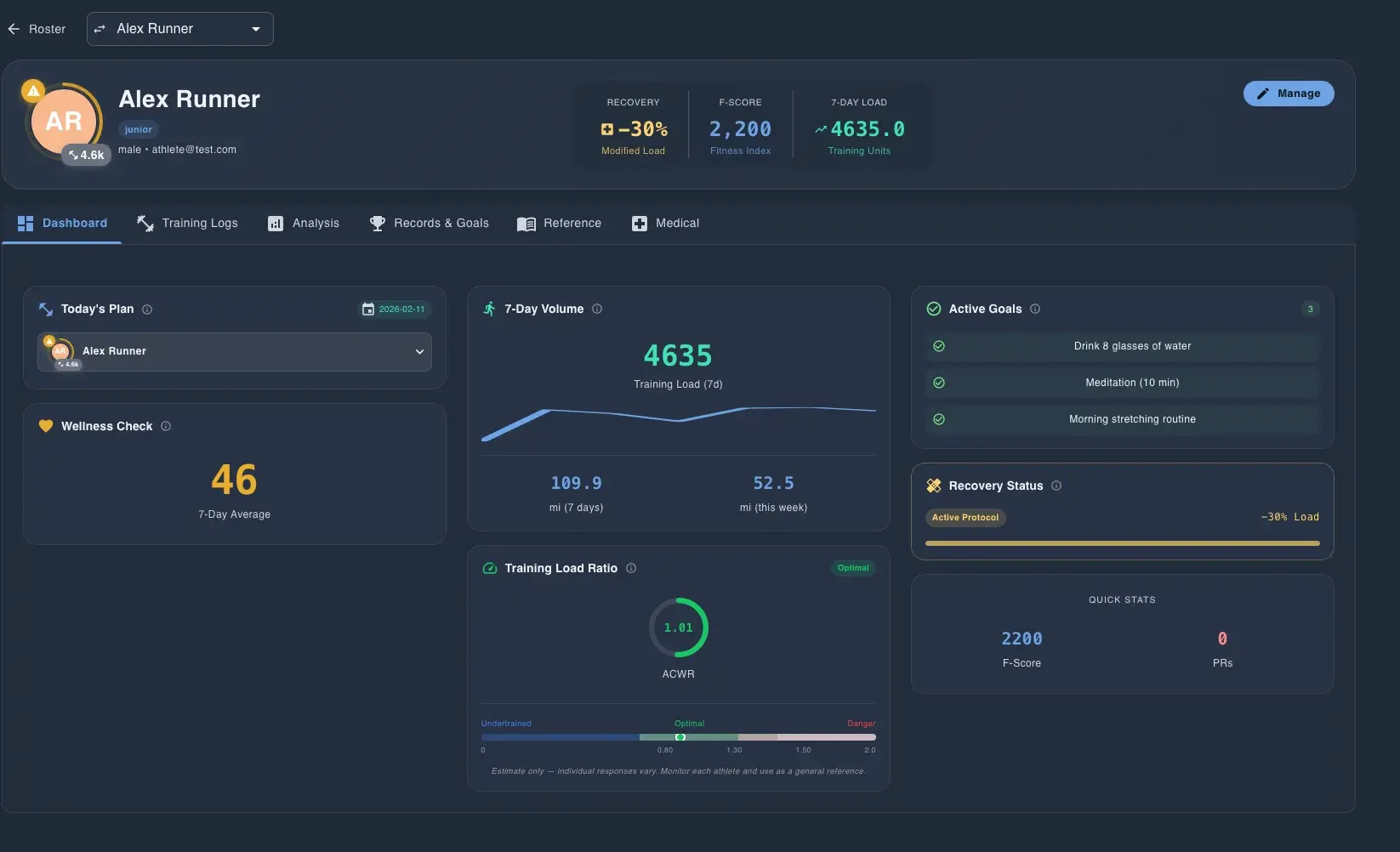
Track Tools Pro Pulse dashboard showing roster compliance and load metrics

Explosive-session oversight

Pulse gives sprint and field-event staffs a fast view of readiness and missed work before loading another high-intensity day.

Team examples

Common team setups

A few program shapes that map well to this workflow.

Sprint-heavy group

Athletes

20-35 athletes

Coaches

1-2 coaches

A strong fit when one staff wants to log and review work quickly without losing technique context.

Full technical-event staff

Athletes

30-60 athletes

Coaches

3-4 coaches

Works well when sprint, hurdle, jump, and throw coaches need one shared system but different daily sessions.

Product tour

See the workflow in action

Browse real Track Tools Pro screens plus a coach testimonial from Valley City State University.

Track Tools Pro has significantly reduced the time spent on planning, organizing, and tracking workouts and performances. The platform is efficient, easy to use, and allows me to focus more on athlete development rather than administrative tasks.

Laquone Robinson

Head Cross Country & Track and Field Coach · Valley City State University

Track Tools Pro Grid Logger screen for logging multiple athletes at once

Log a full group without paper sheets

Grid Logger captures reps, splits, and RPE for multiple athletes in one coach-entered table.

Track Tools Pro Motion Lens screenshot with biomechanical overlay on a runner

Review mechanics with Motion Lens

Motion Lens adds body landmarks and timing feedback so coaches can review technique with athletes and staff.

Track Tools Pro Pulse dashboard showing roster compliance and load metrics

Scan compliance and load before practice

Pulse surfaces compliance, ACWR, monotony, week change, and weekly load so staff can review risk before practice starts.

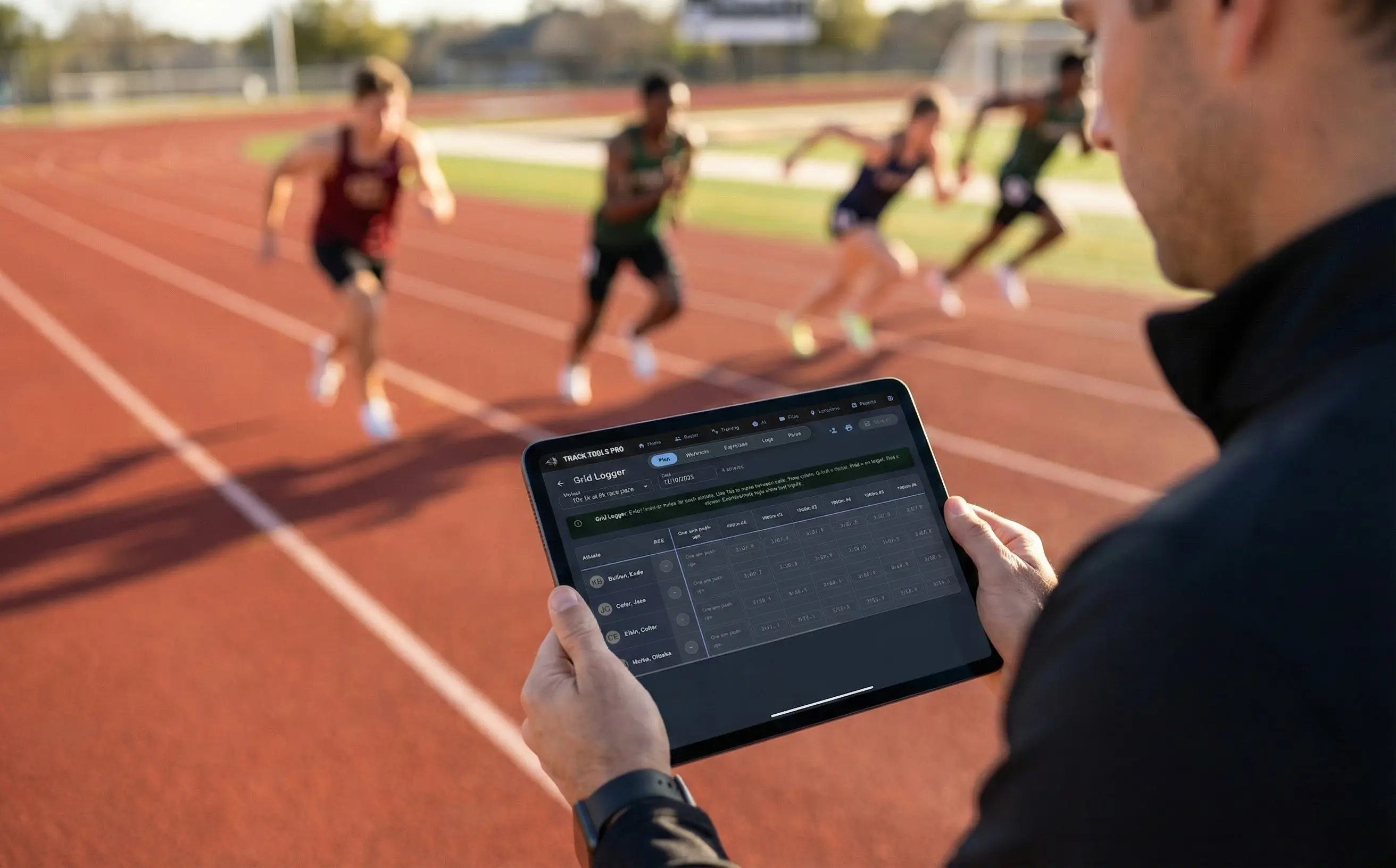
Coach using the Track Tools Pro Grid Logger on an iPad during track practice

Use the workflow trackside

The Grid Logger can be used on an iPad at practice so coaches can capture reps as each group finishes.

Compare next

Related comparison pages

Explore side-by-side guides for other platforms and team setups.

$499/year

Track Tools Pro vs TrackBoss

TrackBoss is a track-specific video and results platform with unlimited access pricing. Track Tools Pro now brings more of the review loop into the all-in-one stack: attempt-aware Motion Lens organization, side-by-side compare, coach annotations, athlete history, plus planning, logging, Pulse, and mobile.

Read the comparison

$90/mo Strength starting price

Track Tools Pro vs TeamBuildr

TeamBuildr is a strength and conditioning platform with separate pricing for Strength, AMS, Practice, and other products. Track Tools Pro is a flatter all-in-one offer for the core track/XC workflow across planning, logs, monitoring, and technique review.

Read the comparison

Demo CTA

Need to see the day-to-day coaching workflow?

Request a focused demo for roster import, group planning, coach-entered Grid Logger workflows, Pulse, Garmin sync, mobile apps, or Motion Lens.

Common demo requests

  • Roster import and group setup
  • Workout planning and assignment by group
  • Athlete logging on mobile and Grid Logger
  • Pulse review, reports, and scheduled summaries
  • Garmin sync, team files, and Motion Lens