Public starting price
$21.99/mo starting price
Coach Edition starts at $21.99/month for 4 Basic athletes plus 1 Premium athlete, or $54.99/month for 5+ Basic athletes, with coach-paid Premium athletes priced separately.
Comparison
TrainingPeaks is a strong endurance coaching platform. Track Tools Pro is the better fit when one staff needs roster-aware planning, group assignment, batch logging, athlete dashboards, and Motion Lens in the same workflow.
Public starting price
Coach Edition starts at $21.99/month for 4 Basic athletes plus 1 Premium athlete, or $54.99/month for 5+ Basic athletes, with coach-paid Premium athletes priced separately.
Best fit for TrainingPeaks
Endurance coaches who already live in the TrainingPeaks ecosystem and want broad third-party integrations for individual athletes or remote coaching businesses.
Official sources reviewed March 13, 2026
Pricing
TrainingPeaks prices coaching per coach account, with coach-paid Premium athlete access billed separately per athlete.
Prices as listed on TrainingPeaks' public pricing pages, reviewed March 13, 2026. Plans and prices can change, so confirm current pricing with TrainingPeaks before you buy.
Track Tools Pro charges one flat annual team price instead of per-coach accounts plus per-athlete Premium fees: Basic at $100/year (up to 50 athletes, 1 coach), Team at $200/year (up to 75 athletes, 5 coaches), and Pro at $300/year for larger programs. TrainingPeaks can still be the better buy for endurance coaches billing athletes individually inside its integrations ecosystem.
Honest fit
See where each platform fits best based on staff workflow, daily coaching needs, and team structure.
Where Track Tools Pro wins
Where TrainingPeaks is stronger
Workflow comparison
Each row focuses on how the staff actually works day to day.
Pricing facts
Reviewed against official public sources on March 13, 2026.
Best fit by team
Large high school track team
Track Tools ProMulti-event staff coordination, batch logging, and one-price program access usually matter more than an endurance integrations ecosystem.
College XC / track staff
Track Tools ProShared oversight across indoor, outdoor, and XC staffs lines up better with the roster-and-group workflow.
Distance-only remote coach
CompetitorTrainingPeaks is stronger when endurance coaching and connected-device workflows are the main job.
FAQ
Quick answers to the questions coaches ask most before choosing.
Coach Edition starts at $21.99/month for 4 Basic athletes plus 1 Premium athlete, and Coach Edition Unlimited is $54.99/month for 5+ Basic athletes. Coach-paid Premium athlete access starts at $9 per athlete per month with volume discounts — as listed on TrainingPeaks' public pricing pages, reviewed March 13, 2026.
Team cost scales with the number of paid coach accounts plus any coach-paid Premium athletes. For example, five coaches means five coach subscriptions, and Premium athlete access is billed per athlete on top — which is why flat-priced team platforms can be simpler for multi-coach track programs to budget.
Track Tools Pro is built for multi-event track and XC staffs, with flat team pricing from $100/year and planning, logs, athlete dashboards, and Motion Lens in one platform. TrainingPeaks remains the stronger fit for endurance coaches who depend on its device ecosystem and coach-business tools.
Product proof
Browse real screens for planning, logging, athlete dashboards, and Motion Lens.
“Track Tools Pro has significantly reduced the time spent on planning, organizing, and tracking workouts and performances. The platform is efficient, easy to use, and allows me to focus more on athlete development rather than administrative tasks.”
Laquone Robinson
Head Cross Country & Track and Field Coach · Valley City State University
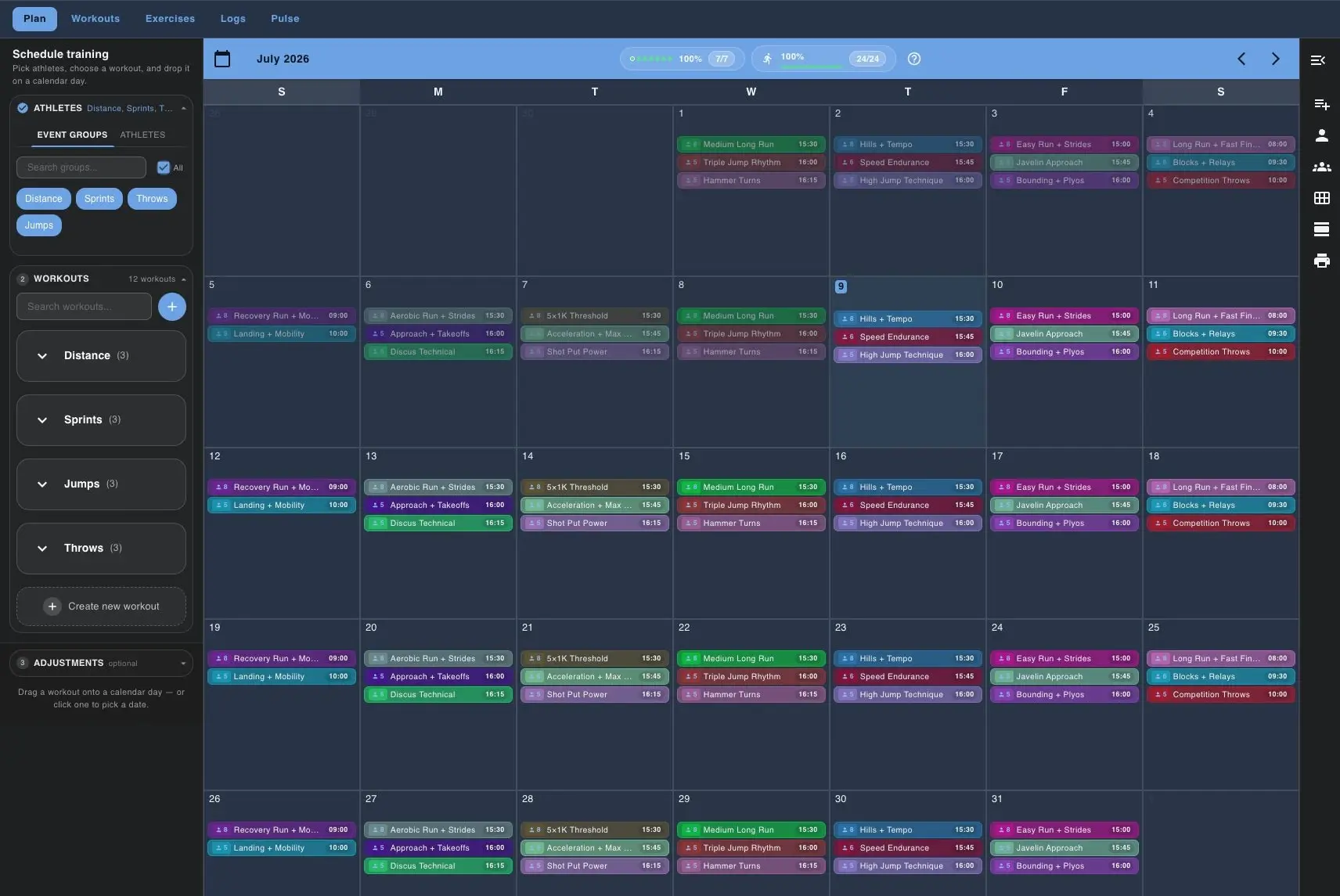
Build the week in one calendar
The planning view lets coaches build the week once, filter by group, and place workouts on the team calendar.
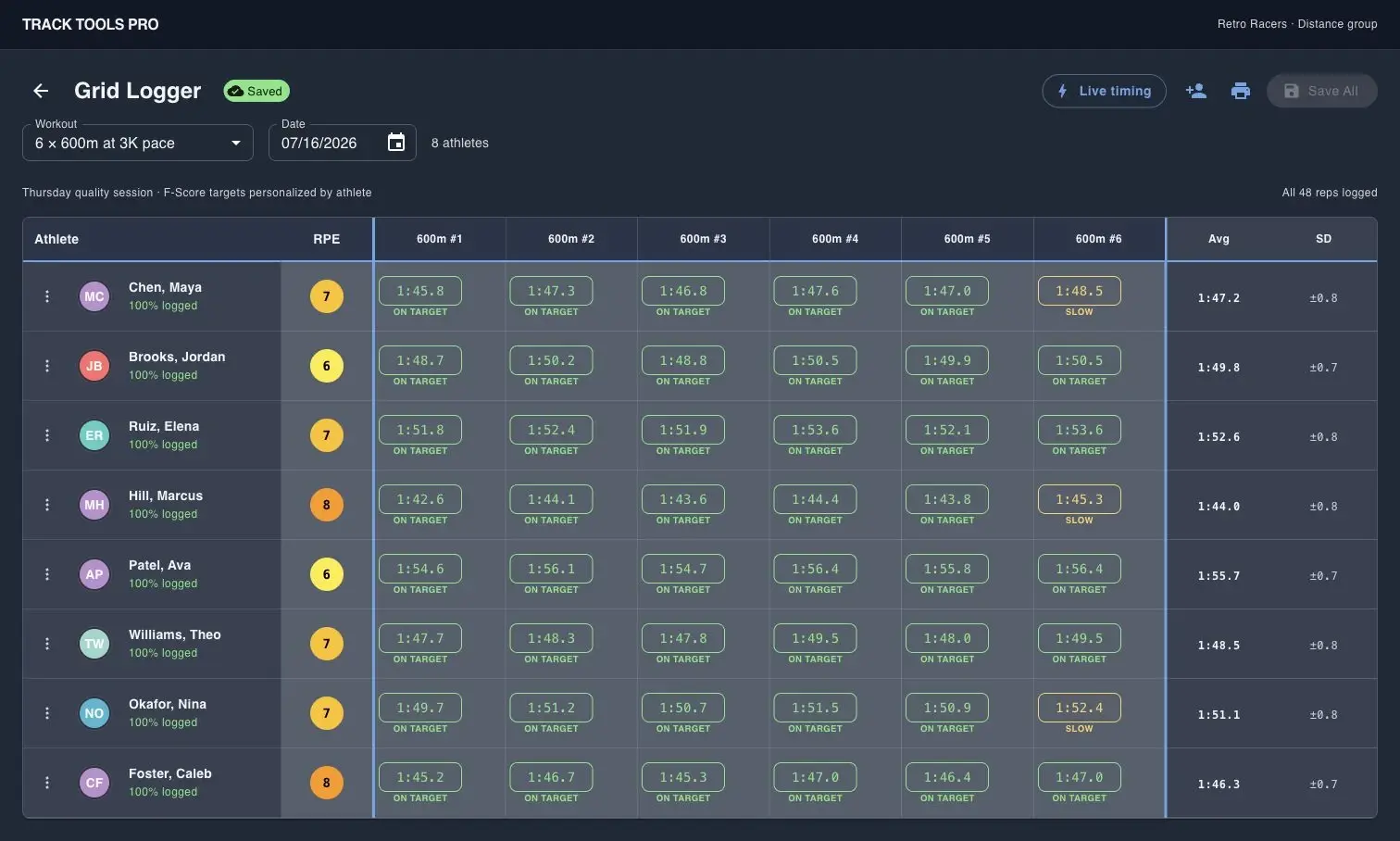
Log a full group without paper sheets
Grid Logger captures reps, splits, and RPE for multiple athletes in one coach-entered table.
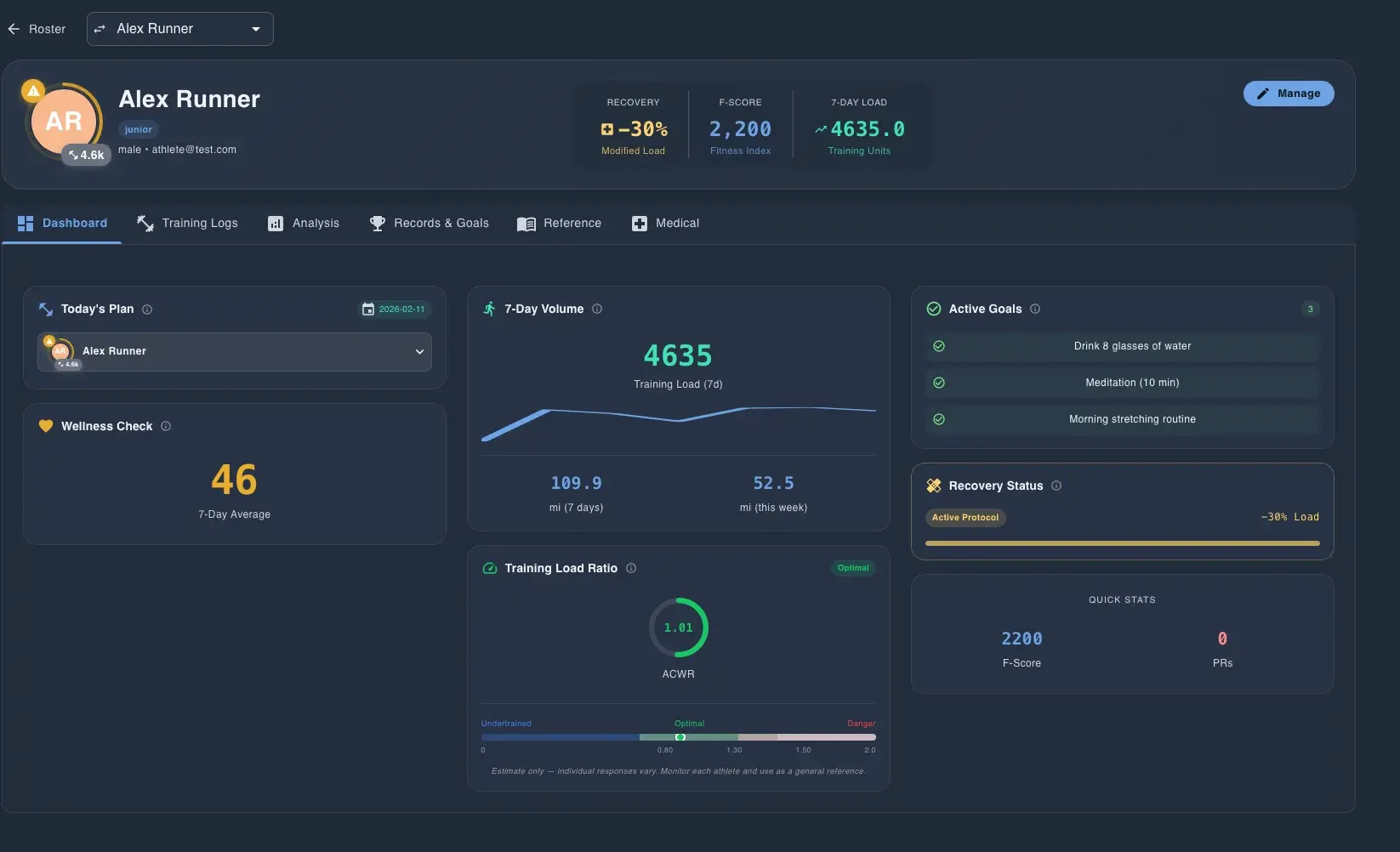
See one athlete in context
The athlete dossier combines training load, readiness, goals, recovery status, and quick stats in one profile.

Review mechanics with Motion Lens
Motion Lens adds body landmarks and timing feedback so coaches can review technique with athletes and staff.
Sources
Review the public pricing and product pages referenced in this comparison.
Demo CTA
Ask for a walkthrough focused on your roster size, staff structure, and which comparison assumptions matter to your buying decision.
Common demo requests