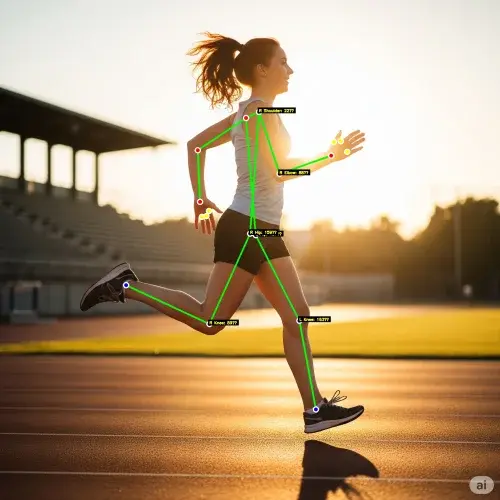
Biomechanical Analysis
Motion Lens
Record video with skeletal overlay visualization. Watch in slow motion, add timestamped notes, and have conversations with athletes about technique adjustments.
Slow MotionCoach NotesTechnique Review
AUTOMATED
Features
This walkthrough shows the broader workflow school teams buy when records, reports, and meet admin are not enough.
Record video with skeletal overlay visualization. Watch in slow motion, add timestamped notes, and have conversations with athletes about technique adjustments.
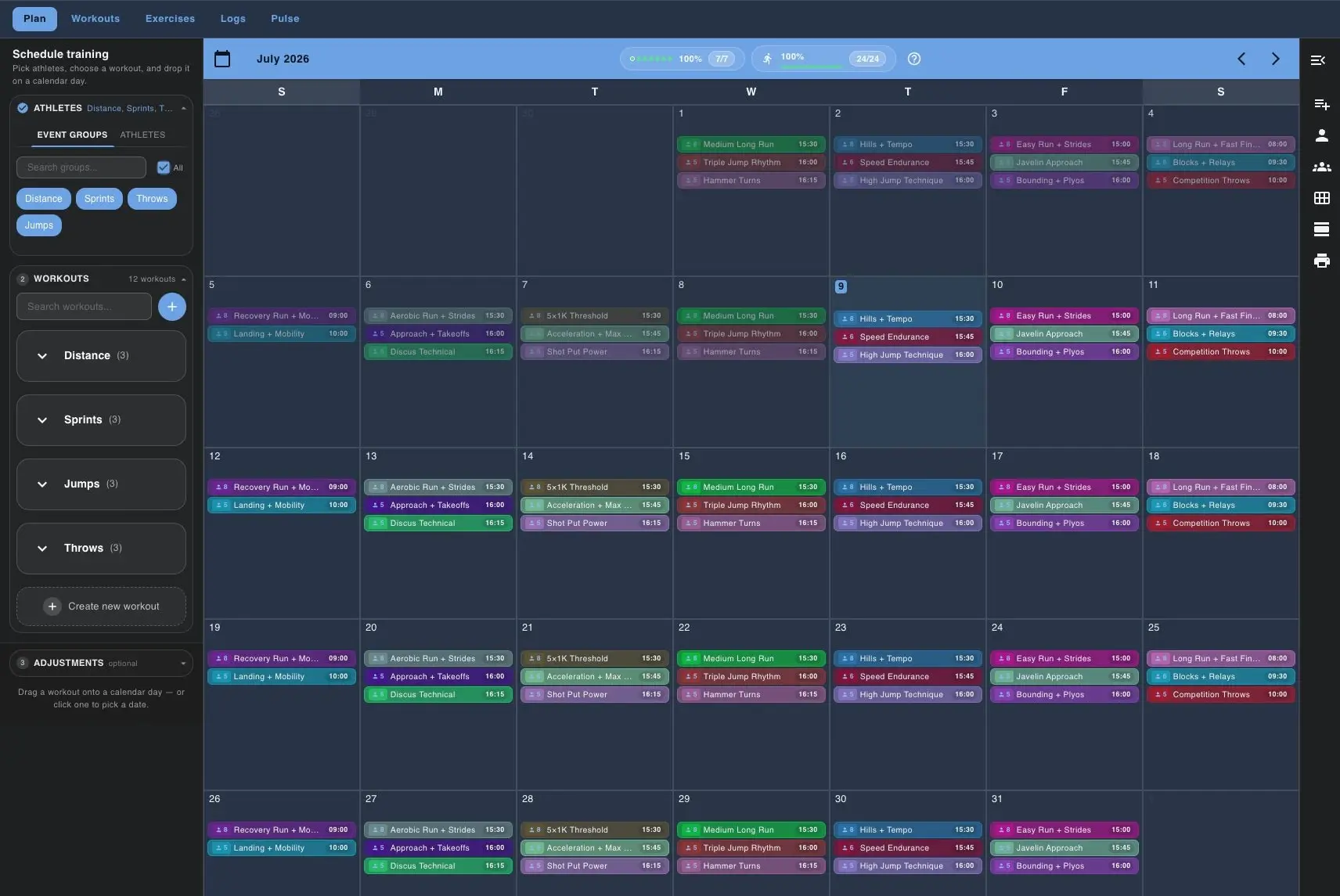
Build the training plan, assign workouts to athletes or groups, and schedule meets or team events on the same calendar. Weather-aware scheduling keeps the week in context.
Athletes log workouts their way - quick entries, detailed splits, or coach-entered grid logs. Every rep, every split, every note captured.
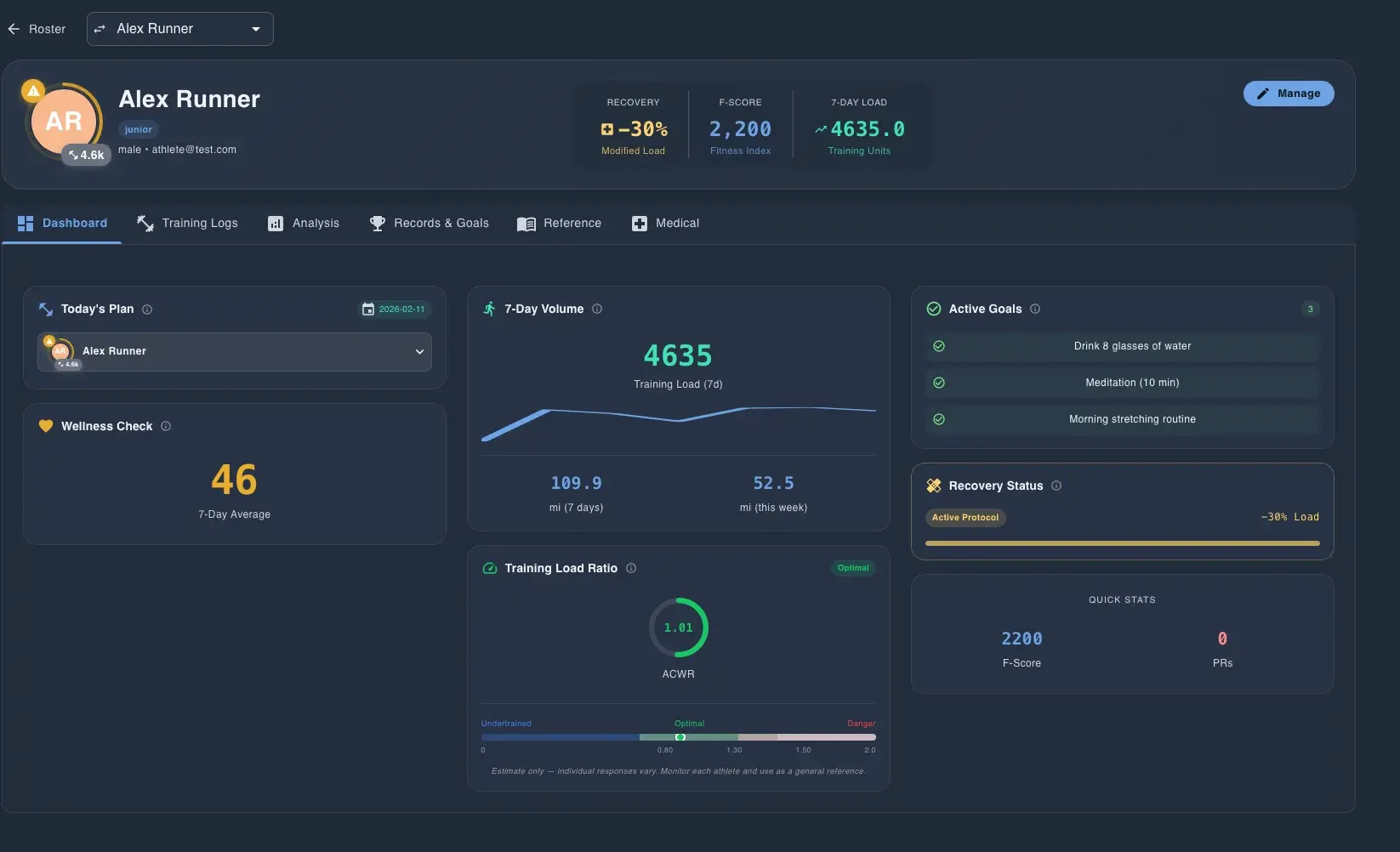
Deep dive into each athlete with dashboards showing training load, wellness trends, ACWR risk, pace charts, personal records, and goal tracking - all in one place.
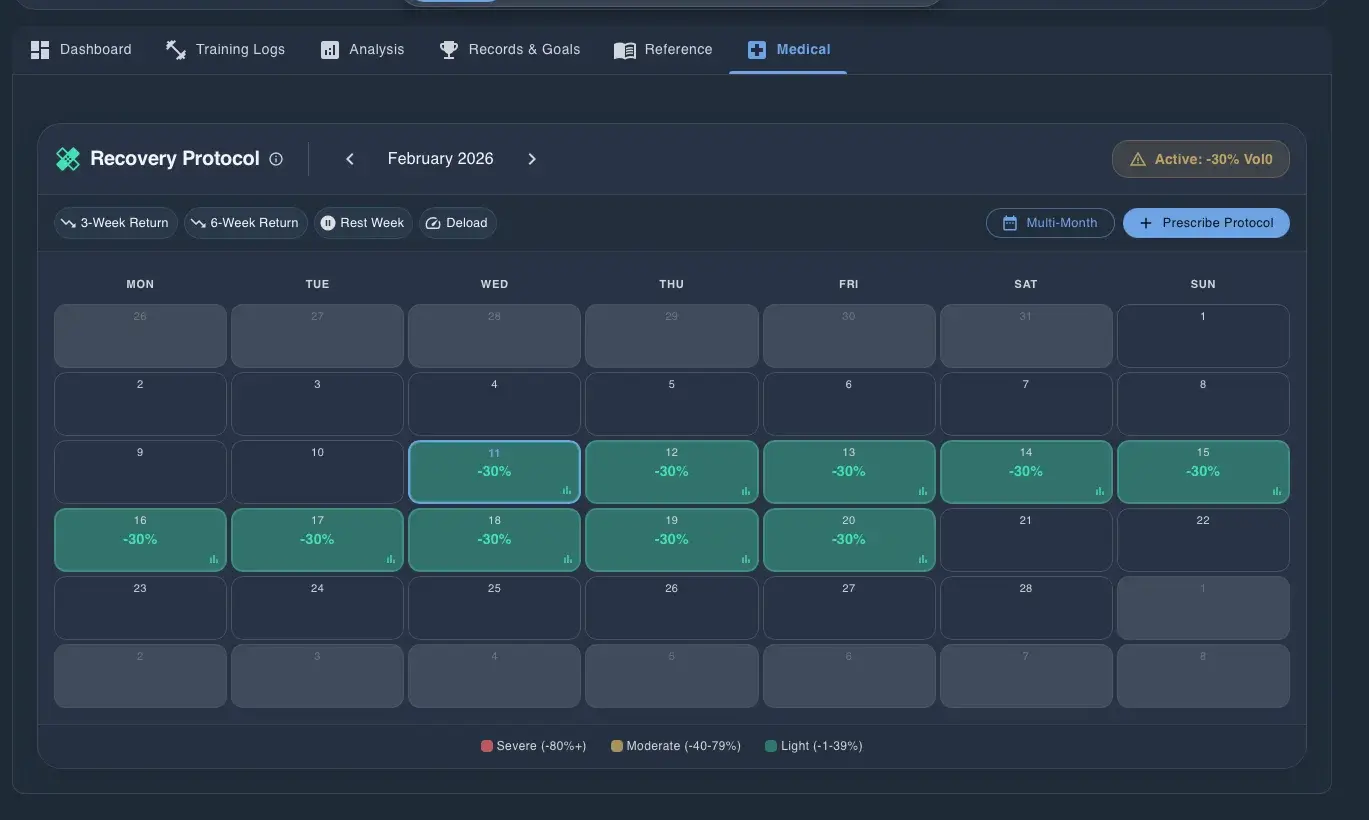
Create date-based recovery protocols for injured athletes. Set volume and pace offsets with linear progression or weekly steps to safely return athletes to full training.
Athletes mark their weekly class and work blocks — or upload a photo of their schedule and let the system read it. Coaches get a team heatmap showing exactly when everyone is free.
Run recruiting next to the roster it feeds. Move recruits through pipeline stages, log every contact, send questionnaires, plan visits, and track the scholarship budget. For college programs on Team and Pro plans.

Store and share documents with your team. Ask the assistant questions about your files - like 'What time is the bus leaving?' from your meet itinerary.
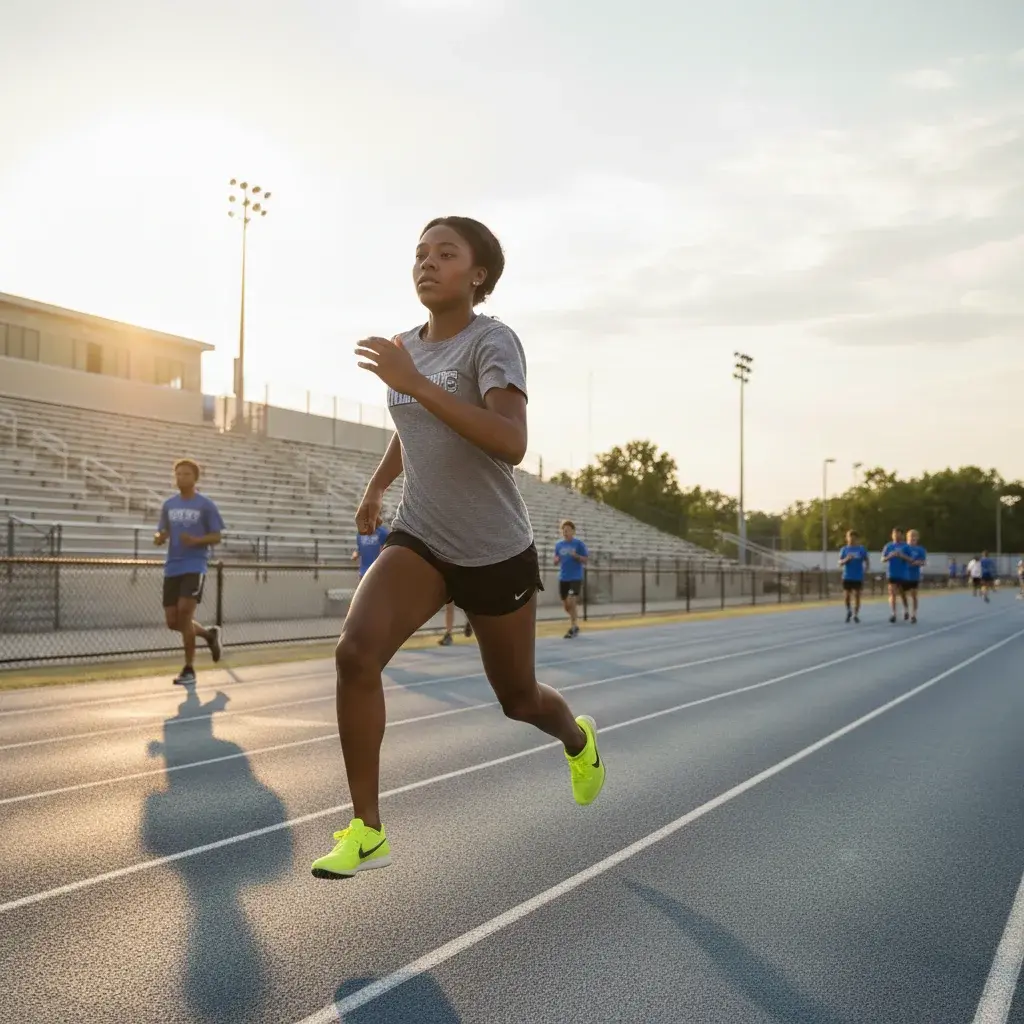
Set athlete PRs once and let the system calculate training paces automatically. Every workout is personalized to each athlete's current fitness level.

Native mobile apps for athletes and coaches. Log workouts, check schedules, and stay connected from anywhere on the track or field.
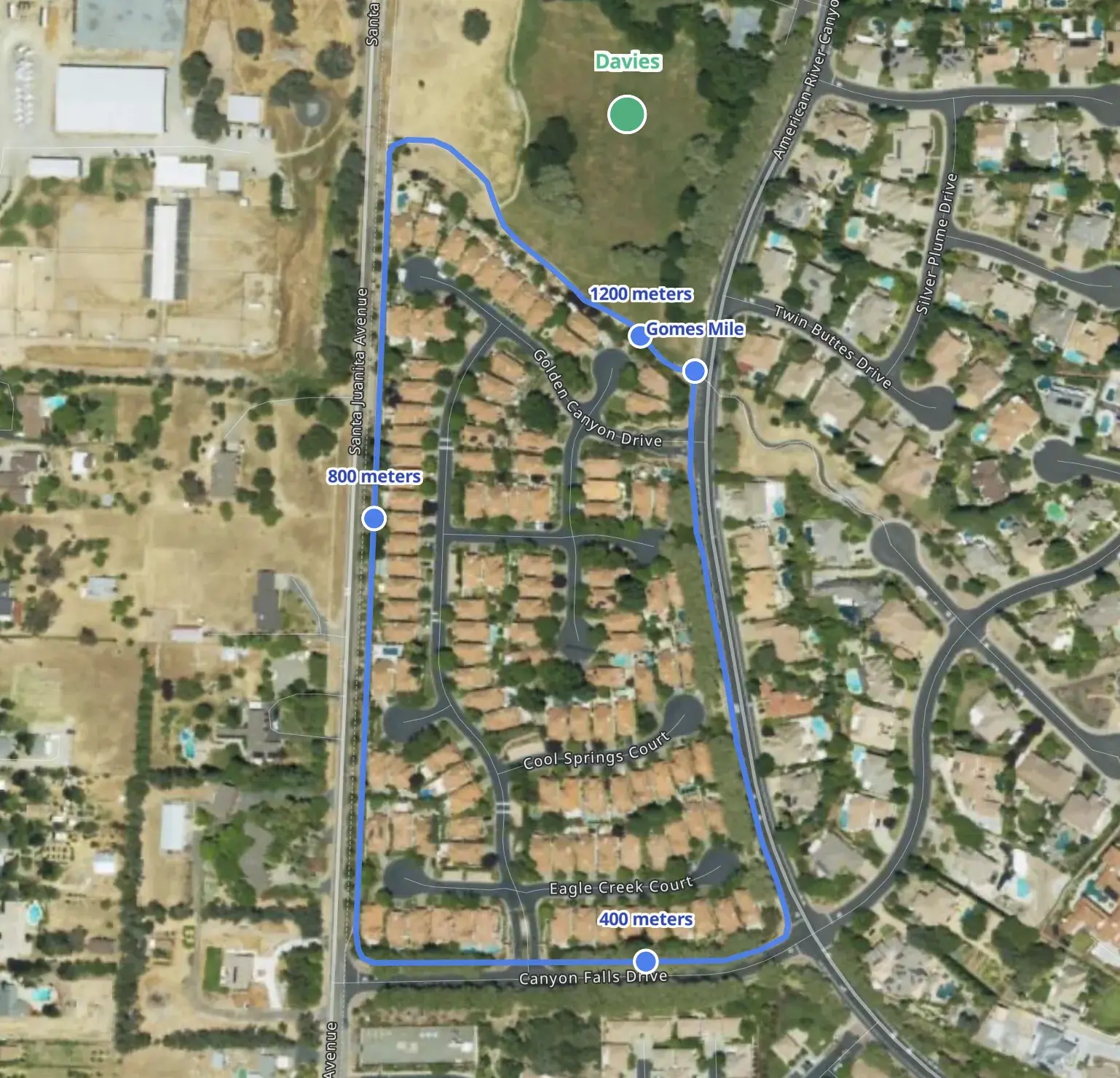
Draw custom training routes on satellite imagery with automatic distance markers. Drop pins for water stops, meeting points, and share routes with your entire team.
Connect your team once to the agent you already use. Then plan training weeks, clean up your library, import rosters, and get real answers from your own team's data — by typing one message.
Powered by MCP (Model Context Protocol), the secure standard that lets a supported app connect with your Track Tools Pro login, use your team's real data, and do work you approve.
Set up your assistantAnimated demo: a coach types a plain-English request to an assistant, the assistant runs real Track Tools Pro tools, and a miniature Track Tools Pro screen updates. Three scenarios play in a loop. Plan a week: the assistant drafts seven days of training for twelve athletes and assigns the workouts after the coach approves. Clean the library: the assistant finds 63 workouts, archives 21 that were never assigned, and merges duplicates after approval. Import a roster: the assistant reads a school roster page, skips three athletes already on the roster, and adds 21 with events and PRs after approval. The conversation is simulated; every command shown is a real tool the connection supports, and write actions run only after the coach approves.
Simulated conversation. Real Track Tools Pro tools — every command shown is one the connection actually supports.
Workflow
The whole staff moves from setup to insight without leaving one system.
Bring in existing roster data from spreadsheets, CSVs, PDFs, pasted text, or a roster URL, then organize athletes by group and staff access.
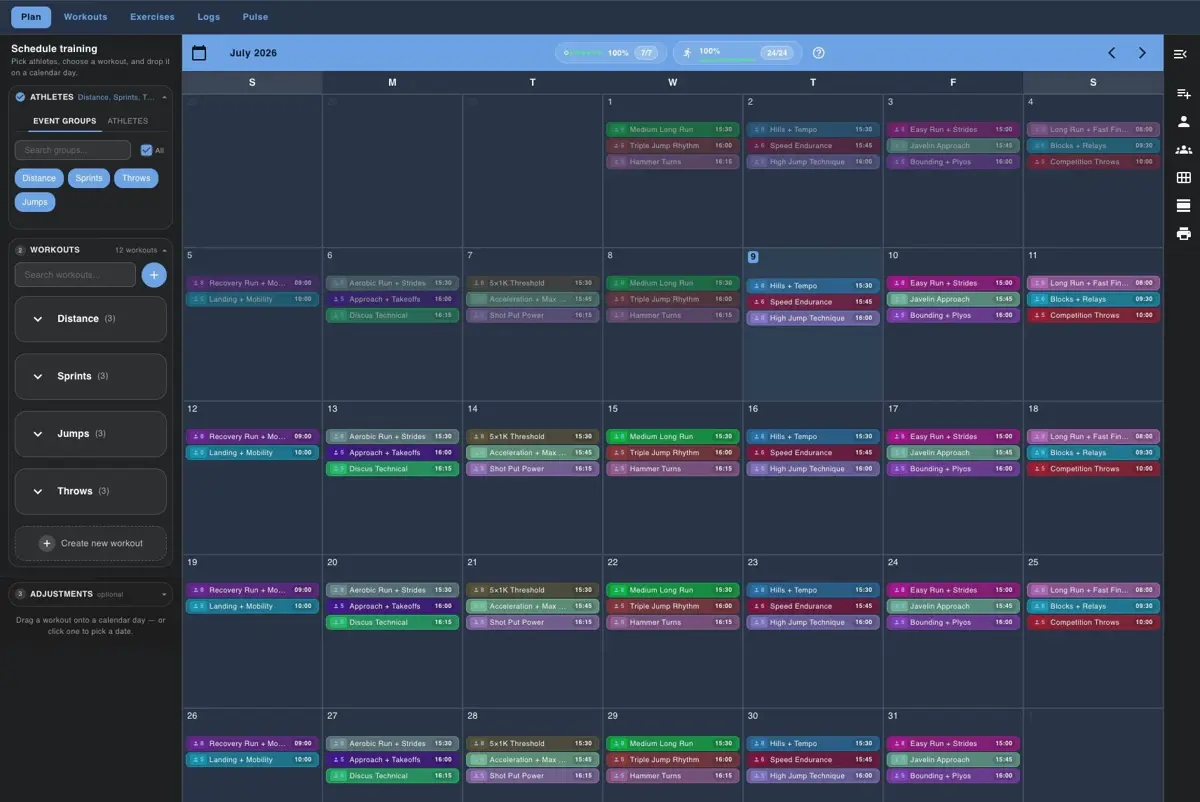
Create the session in the training calendar and keep the whole week visible while you place workouts on the right dates.
Filter and assign by group so distance, sprints, throws, jumps, and road-running work can live in one system without one-size-fits-all programming.
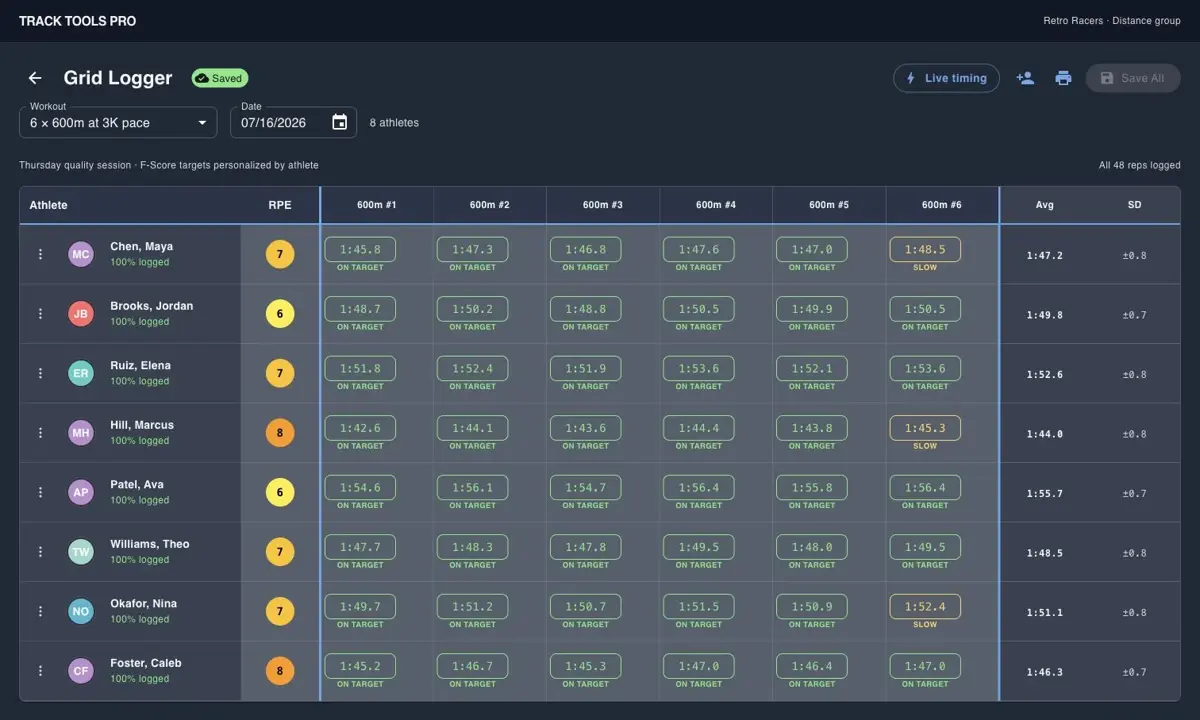
Athletes can check the plan on mobile, while coaches can log a whole group quickly from the Grid Logger when that is faster.
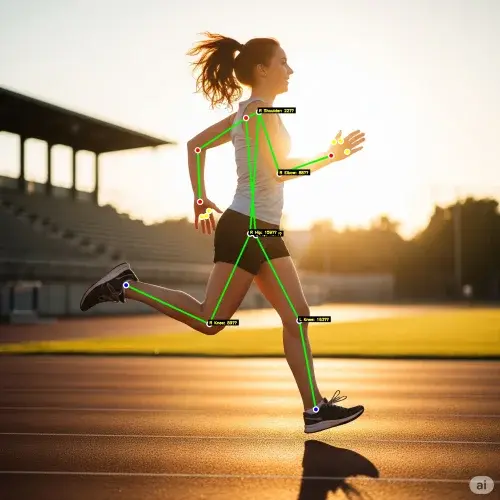
When technique needs another lens, staff can capture video, review landmarks and timing, and keep the feedback attached to the athlete workflow.
Proof
Browse real Track Tools Pro screens for planning, logging, files, mobile, Garmin, and Motion Lens.
“Track Tools Pro has significantly reduced the time spent on planning, organizing, and tracking workouts and performances. The platform is efficient, easy to use, and allows me to focus more on athlete development rather than administrative tasks.”
Laquone Robinson
Head Cross Country & Track and Field Coach · Valley City State University
Build the week in one calendar
The planning view lets coaches build the week once, filter by group, and place workouts on the team calendar.
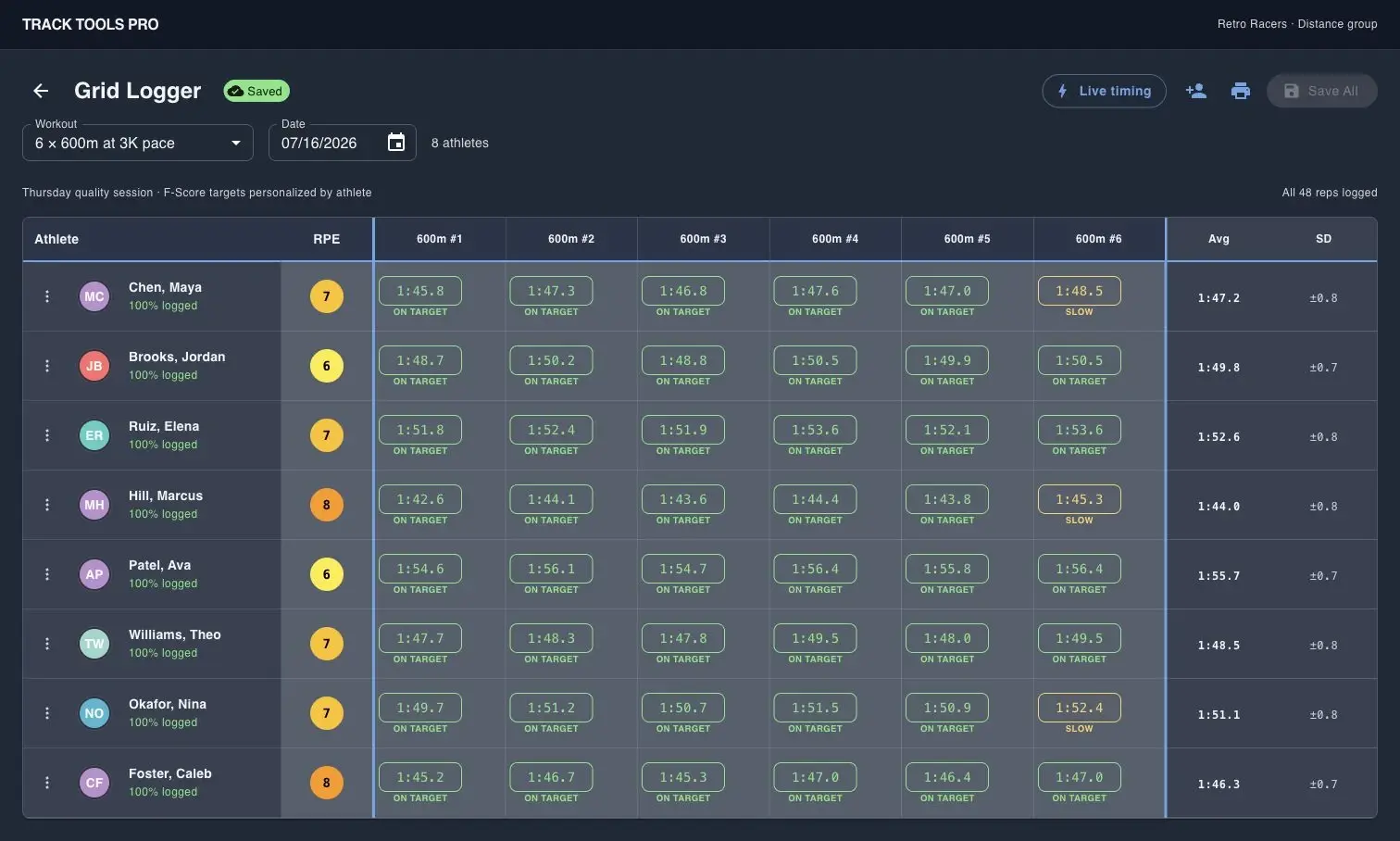
Log a full group without paper sheets
Grid Logger captures reps, splits, and RPE for multiple athletes in one coach-entered table.
See one athlete in context
The athlete dossier combines training load, readiness, goals, recovery status, and quick stats in one profile.
Review mechanics with Motion Lens
Motion Lens adds body landmarks and timing feedback so coaches can review technique with athletes and staff.
Compare
TrackCentral is a reasonable fit for budget-sensitive programs focused on records, reports, and meet admin. These comparison pages show where Track Tools Pro becomes more valuable: daily coaching, team operations, and athlete development.
Official public pricing and positioning reviewed March 13, 2026
TrackCentral is centered on performance management and meet administration. Track Tools Pro is broader software for the full coaching week: training plans, groups, athlete logs, Garmin, mobile, files, reports, route builder, and Motion Lens.
Best for
Budget-conscious school track/XC programs that mainly want schedules, lineups, performances, school records, and printable reports in a straightforward web-based tool.
TrainingPeaks is built around endurance coaching, structured planning, premium athlete accounts, and a large integrations ecosystem. Track Tools Pro is optimized for multi-event staffs that need a shared team workflow instead of separate coach, spreadsheet, and video tools.
Best for
Endurance coaches who already live in the TrainingPeaks ecosystem and want broad third-party integrations for individual athletes or remote coaching businesses.
Final Surge emphasizes affordable coaching for runners, multisport athletes, teams, and clubs. Track Tools Pro focuses on the all-in-one workflow a multi-event track or XC staff needs from planning through oversight.
Best for
Distance groups, clubs, and endurance-focused staffs that want a simple and affordable training log and calendar system.
TrackBoss is a track-specific video and results platform with unlimited access pricing. Track Tools Pro now brings more of the review loop into the all-in-one stack: attempt-aware Motion Lens organization, side-by-side compare, coach annotations, athlete history, plus planning, logging, athlete dashboards, and mobile.
Best for
Track programs that want a track-specific video, attempt, and results workflow at practice and meets.
TeamBuildr is a strength and conditioning platform with separate pricing for Strength, AMS, Practice, and other products. Track Tools Pro is a flatter all-in-one offer for the core track/XC workflow across planning, logs, monitoring, and technique review.
Best for
Strength and conditioning departments, performance staffs, and weight-room-first environments that want a modular stack.
Choose Track Tools Pro when your program needs planning, logging, monitoring, collaboration, and athlete development in one place. If you only need records, reports, and meet admin, a narrower tool may still fit.
No credit card. Cancel anytime.